
Wavesome.AI Video Generator
Live Wallpapers by Wave StudioArt & Design
3.9173.00 Reviews
- Version
- 2.0.13
- Installs
- 100.00K
- Age Rating
- Teen
Screenshots

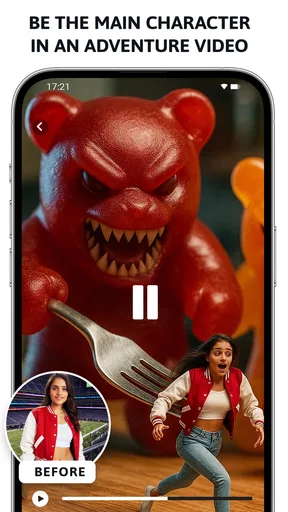
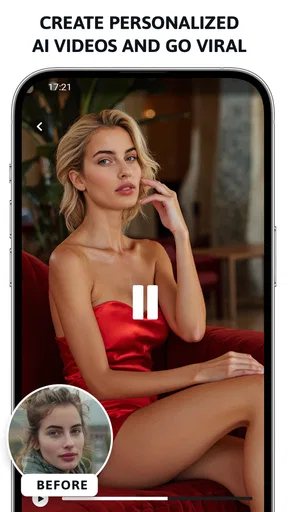
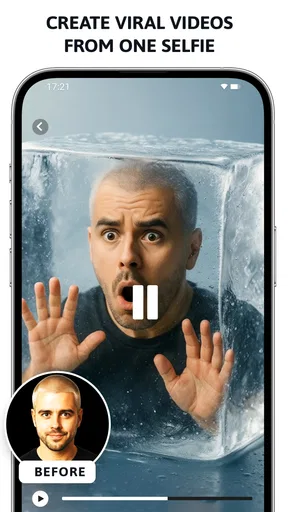
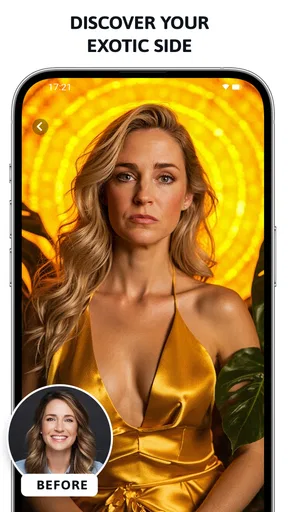
Our Review of Wavesome.AI Video Generator
 Analysis by Appyee
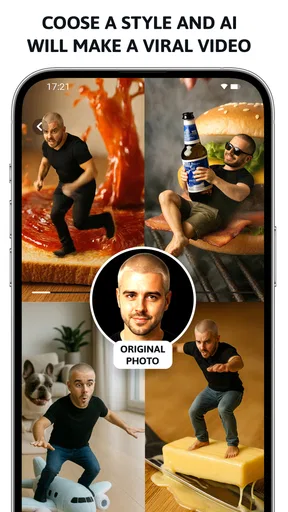
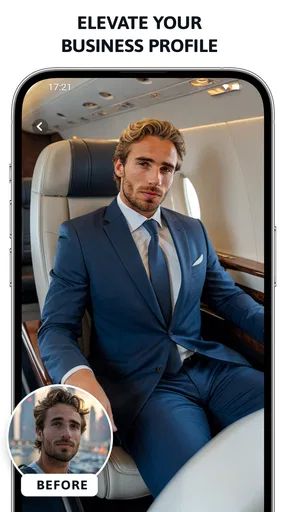
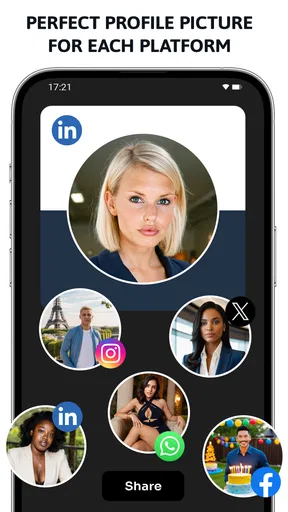
I found Wavesome.AI Video Generator most interesting as a quick creative tool rather than a complete photo-editing studio. It turns selfies and other personal images into AI-generated visuals aimed at social posts, profile pictures, headshots, and other attention-grabbing content. After trying to judge it as an everyday app instead of being impressed by the store wording alone, I came away with a fairly clear view: it is convenient when you want a fresh image without learning a complicated editor, but it is not the best choice for people who need precise control, predictable results, or a fully free workflow.
The app sits in the Art & Design category and comes from Live Wallpapers by Wave Studio. It is free to install, carries a Teen content rating, and has passed 100K installs. Its average score is 3.9 from about 1.2K ratings, with roughly 173 written reviews, which suggests a useful but not universally smooth experience. I think that balance is important here. The concept is approachable, yet AI image generation always involves compromises around consistency, waiting time, and how much influence the user really has over the final result.
How the app feels when you are waiting for an AI result
The first thing I would tell a friend is not to treat this like a normal filter app. A conventional selfie editor usually applies an effect immediately, while an AI generator has to process the source image and create something new. That difference shapes the entire experience. A simple adjustment app is better when you need a result in seconds and want to see exactly what will happen. Wavesome.AI makes more sense when you are willing to trade some predictability for a more dramatic transformation.
For a casual portrait, the most practical workflow is to begin with one strong source image rather than uploading a random collection of selfies. A clear face, reasonable lighting, and a straightforward pose give the generator a better starting point than a dark group photo or an image with the subject partly hidden. This is one of the less obvious ways to improve the experience: the app may feel slow or unreliable when the real problem is an unsuitable input.
I also recommend deciding on the purpose before generating anything. A profile image needs a readable face and a restrained composition. A social post can tolerate a more stylized result. A headshot should look believable enough for the setting where it will be used. If I ask an AI tool to make one image serve all three purposes, I am more likely to waste attempts and become frustrated with the app.
Speed is therefore partly a workflow question. The app is attractive for short creative sessions, such as refreshing a profile picture before a video call or creating a visual for a post, but it should not be treated as an instant camera effect. When the result matters, I would prepare the source image first and allow time for experimentation instead of opening the app just before a deadline.
That also explains why the free label needs careful interpretation. You can start without paying, which is useful for deciding whether the style suits you, but in-app purchases range from $2.99 to $129.99 per item. I would not begin a large batch of generations until I understood which parts of the workflow might require payment. The sensible approach is to test the app with a small, low-pressure project and decide whether the creative value justifies spending more.
What happens during heavier creative sessions
The demanding moments are not likely to be basic browsing or choosing a picture; they are the points where you repeatedly submit images, compare variations, and try to correct a result that is almost right. AI generation can encourage this kind of loop because one attractive image often makes you want to refine the pose, mood, clothing, or background. That is where the app becomes less like a one-tap novelty and more like a resource-hungry creative session.
My practical advice is to work in stages. First, generate one version to check whether the face remains recognizable and whether the overall style is useful. Then decide if the idea deserves more attempts. Do not immediately create a long series of near-duplicates just because the first result is imperfect. This saves time, reduces unnecessary processing, and makes it easier to identify whether the issue is the source selfie or the chosen concept.
A second useful habit is to keep the original image separate from the generated result. If a later variation goes in the wrong direction, you want to return to the clean source rather than repeatedly editing an already transformed image. That matters especially for profile pictures and headshots, where small changes to facial details can accumulate and make the person look less like themselves.
Heavy use also exposes the difference between creative quality and practical usability. A striking image may still be unsuitable if the face is distorted, the expression feels unnatural, or the composition leaves too little room for the crop used by a social platform. I would judge each result at the size where it will actually appear, not only when zoomed in inside the app. An image that looks impressive on a phone may become awkward when reduced to a small avatar.
People using older or less powerful phones should be especially realistic about repeated generation. The app requires Android 7.0 or later, so its compatibility reaches back to relatively old Android devices, but operating-system support does not guarantee an equally comfortable experience on every handset. A phone can install an app and still struggle more during image processing, multitasking, storage management, or battery use. I would avoid running a long generation session while the device is already busy with navigation, video calls, or other demanding tasks.
Stability, failed attempts, and recovering without losing your work
Reliability matters more in an AI generator than in a simple editor because each attempt represents time and sometimes paid value. I would approach Wavesome.AI with a recovery mindset: keep the original selfie, save any result that is genuinely useful, and avoid assuming that a nearly successful generation can always be recreated later in exactly the same way. That routine protects the part of the process you can control.
If an output looks wrong, I would not immediately blame the app. There are several possible causes: the source image may be poorly framed, the requested style may conflict with the portrait, or the generated composition may simply be one of those unpredictable AI results. Changing the input image can be more effective than repeating the same request. A front-facing portrait with visible eyes and a simple background is a better diagnostic test than a complicated image containing several people or objects.
When the app appears to pause, the best response is patience before tapping repeatedly. Repeated submissions can make it harder to know which request produced which result, and they may consume more of whatever generation allowance applies to the account or purchase. I would wait, check whether the result has appeared, and only then try again. This is not glamorous advice, but it is the kind of habit that prevents a creative experiment from turning into an avoidable mess.
The app’s rating of 3.9 indicates that the experience is mixed rather than flawless. I read that as a reason to keep expectations grounded, not as a reason to dismiss the product. The concept clearly appeals to enough people to reach over 100K installs, but a score below the very top range suggests that convenience and output quality will not feel identical for every user. Someone who enjoys browsing several attempts may be satisfied, while someone who needs one exact professional portrait may find the uncertainty irritating.
For important work, I would use the app as an idea generator instead of the only copy of the final asset. Create a few concepts, choose the strongest direction, and then make any necessary finishing adjustments in a conventional editor. That division of labor is sensible: the AI handles imaginative transformation, while a standard editor is better for cropping, color balance, text placement, and final export decisions.
Device limits and the cost of convenience
Android 7.0 compatibility is helpful for users who do not own a recent phone, but it also means the app may be used across a wide range of hardware. On a newer device, moving between image selection, generation, and saving should feel more comfortable. On an older phone, I would leave extra free storage, close unrelated apps, and avoid judging the whole product during a single overloaded session. The phone’s condition can influence the perceived speed as much as the app itself.
Battery and data awareness are also sensible, even though the exact burden will vary with the device and connection. Generating visual content is a different workload from applying a small local adjustment. If I were travelling or using a limited mobile plan, I would wait for a stable connection and avoid generating many alternatives without a clear purpose. That is particularly important when experimenting with several selfies, because the creative process can quietly become much more resource-intensive than expected.
Privacy is another reason to be selective about what you upload. A selfie used for a casual avatar is not the same as a private family photograph, an identity document, or an image containing other people who have not agreed to the experiment. I would choose images deliberately and avoid sending anything unnecessarily sensitive. The Teen rating is a reminder that the app is not aimed exclusively at adults, so younger users should also involve a parent or guardian when deciding what personal images to use and whether purchases are appropriate.
The purchase range deserves a second look because it changes who should use the app. A person who only wants occasional inspiration may be happy with the free starting point. Someone building a large collection of branded portraits, promotional images, or repeated social content could encounter a much higher total cost, depending on how the available items are structured. I would set a personal spending limit before exploring heavily and would never assume that “free” means every desirable generation is included without conditions.
Compared with ordinary selfie filters, Wavesome.AI offers more substantial transformation but less immediate control. A filter app is the better choice for consistent color, skin adjustments, lighting tweaks, and predictable results. Compared with a full desktop design program, this app is faster to approach and easier for casual experimentation, but it cannot replace detailed layer work, exact typography, or careful retouching. Its strongest position is between those two extremes: more imaginative than a basic filter, less demanding than professional design software.
Who will get the most from it
I can see the app working well for someone who needs fresh profile imagery but does not want to pose for a formal photo session. It can also suit a creator who wants several visual directions before choosing a theme for a post, or a user who enjoys turning familiar selfies into stylized artwork. The important word is “explore.” The app is at its best when the user welcomes variation and can judge which results are worth keeping.
A realistic everyday example would be preparing for a new online course or community profile. I would choose a clean, well-lit selfie, generate a few restrained portrait ideas, and select the one that still looks recognizably like me at a small size. If the result is too dramatic, I would return to the original rather than forcing that version to work. For a social post, I might accept a bolder image, but I would still check the crop and make sure the face is not lost against the background.
It is less suitable for a user who needs a guaranteed likeness, exact brand colors, or a professional headshot with no visual surprises. A photographer, designer, or business owner may prefer tools that expose more controls and provide a clearer repeatable process. It is also not a great fit for someone who dislikes waiting, does not want to manage possible purchases, or expects every selfie to become a polished result in one attempt.
The current version is 2.0.13, so I would keep the app updated through the normal store process when possible. Updates can matter for compatibility and bug fixes, especially on a service that depends on both the phone app and remote image processing. Still, an update number alone is not a reason to expect a dramatic change in output quality. I would evaluate the version I actually use rather than relying on promises about what a future release might bring.
My performance verdict after weighing speed, stability, and control
My overall impression is that Wavesome.AI Video Generator is a convenient creative companion with an uneven but understandable performance profile. It is quick to start, simple enough for casual users, and focused on the appealing idea of making more distinctive portraits from familiar images. The experience becomes slower and more demanding when I ask for many variations, use weak source material, or expect professional consistency from an experimental generator.
The strongest performance tip is to reduce wasted attempts: prepare a clear selfie, define the intended use, test one concept, and save good results immediately. That approach makes the app feel more responsive because I am not asking it to solve an unclear creative problem over and over. It also makes the free starting experience easier to assess before considering any purchase.
I would recommend trying it if you want playful AI portraits, new profile-image ideas, or visual material for casual social content. I would skip it in favor of a conventional editor or a more controlled professional tool if precision, repeatability, and predictable cost matter more than experimentation. Live Wallpapers by Wave Studio has made an accessible Art & Design app, but its value depends heavily on how patiently and selectively you use it.
In short, the app is best treated as a visual idea machine, not a guaranteed one-click studio. Its free entry point makes testing reasonable, while the 3.9 average rating and broad purchase range encourage a measured approach. I would keep my expectations realistic, protect the original photos, watch device resources during heavier sessions, and decide on payment only after seeing whether the generated style genuinely fits my needs.
Verdict
Strengths of Wavesome.AI Video Generator
- Turns simple text prompts into engaging short videos quickly.
- Offers creative AI effects for social media content and marketing.
- Reduces the need for advanced video-editing skills.
- Useful for generating visual ideas, drafts, and concept videos.
- Cloud-based workflow makes projects accessible across supported devices.
Limitations of Wavesome.AI Video Generator
- AI results can vary widely depending on prompt quality.
- Some advanced features may require a paid subscription.
- Generated videos may include occasional visual or motion glitches.
- Customization options can feel limited compared with full editors.
- Processing times may increase for complex or high-resolution videos.
Other Releases by Live Wallpapers by Wave Studio
View All
3D Aquarium Live Wallpaper
Personalization4.6
Similar Picks in This Category
View All
Canva: AI Photo & Video Editor
Canva4.8

PENUP – Drawing-sharing SNS
Samsung Electronics Co., Ltd.4.5

Crafto
Kutumb App4.6

Sketchbook
Sketchbook4.1

ibis Paint X
ibis inc.4.5

Adobe Express: AI Photo, Video
Adobe4.6
Frequently Asked Questions
What is Wavesome.AI Video Generator, and what can it do?
Wavesome.AI Video Generator is an artificial-intelligence video creation tool designed to turn written prompts, images, or other creative ideas into short videos. It can be useful for social media posts, marketing clips, presentations, storytelling, and experimenting with visual concepts. Depending on the version and plan available, the app may also provide templates, automated effects, music, transitions, captions, and basic editing options.
Is Wavesome.AI Video Generator free to download and use?
The application may be available to download at no initial cost, but free access does not necessarily include every feature. AI video generation can be limited by credits, daily usage allowances, export quality, video length, watermarks, or available templates. Before creating several projects, check the current pricing page and subscription details carefully, especially whether a trial automatically changes into a paid recurring plan.
What kind of input does Wavesome.AI Video Generator require?
The exact workflow can vary, but users generally create a video by entering a text description, selecting a visual style, uploading an image, or choosing a template. More specific prompts usually produce more predictable results, so it helps to describe the subject, setting, movement, mood, colors, and desired format. Uploaded material should be owned by you or licensed for use, particularly when creating commercial content.
Does Wavesome.AI Video Generator create professional-quality videos?
Wavesome.AI can speed up the creation of attractive short-form content, but the final result depends on the prompt, source material, selected settings, and the current capabilities of its AI models. Generated clips may occasionally contain unusual motion, inconsistent details, awkward text, or timing issues. It is best suited to social content, concept videos, and quick promotional material, while important professional projects may still require manual editing and review.
Is Wavesome.AI Video Generator safe to use, and what should I know about privacy?
Before using the service, review its privacy policy and terms to understand how prompts, uploaded images, generated videos, account information, and payment details are handled. Avoid submitting confidential documents, private photographs, personal data, or copyrighted material unless you are comfortable with the stated processing practices. Also check the permissions requested by the app and download it only from an official, trusted store or website.
